> ## Documentation Index
> Fetch the complete documentation index at: https://docs.inflection.io/llms.txt
> Use this file to discover all available pages before exploring further.
# MMC Dashboard
> Visibility into monthly usage overall and journey-by-journey.
## Monthly Marketed Contacts
MMCs are **unique contacts** (unique by email address) who route through one or more Inflection journeys in a given calendar month (i.e. August 1-August 31).
* Inflection does not charge for contact database volume, marketable contacts, seats or data volumes.
* Non-personalized batch journeys (i.e. typical newsletters) do not count against MMC cap, provided there are no MMC-triggering elements in the batch journey.
Read a more detailed MMC description here: [MMCs (Monthly Marketed Contacts)](/getting-started/mmcs).
## The Dashboard
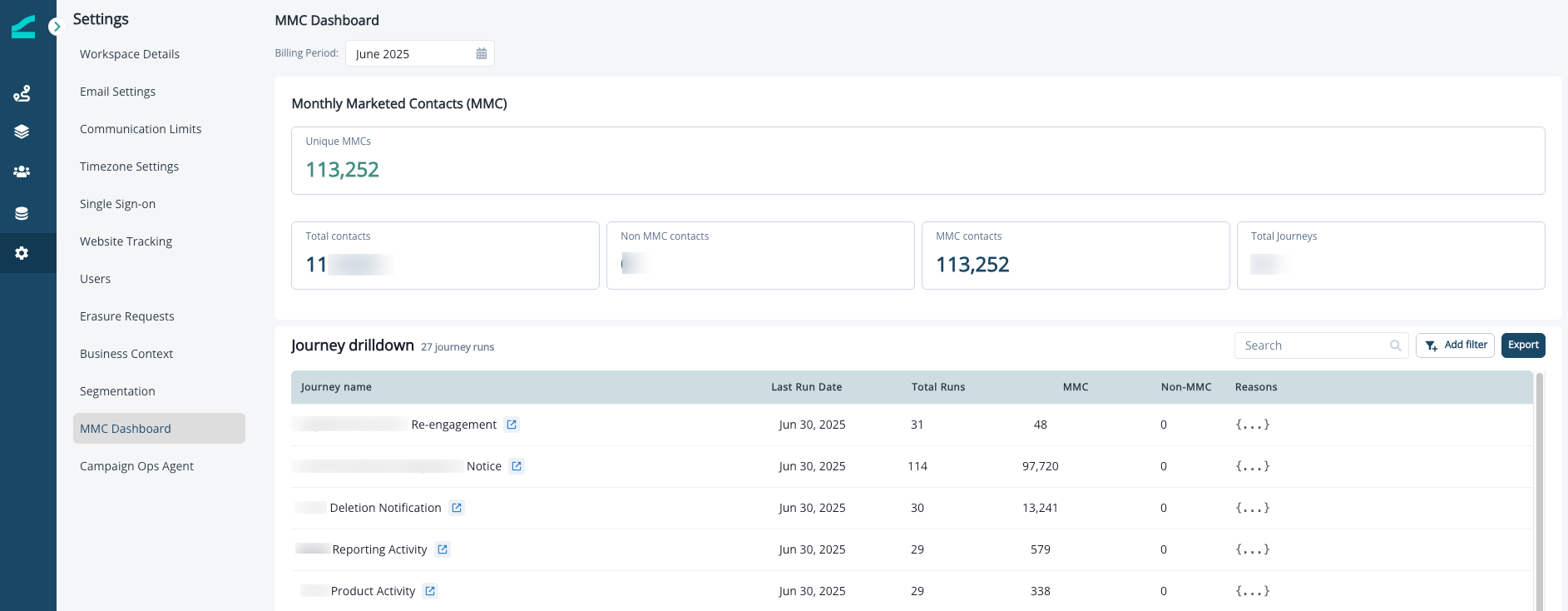
The **MMC Dashboard** displays how many contacts your Inflection instance has processed in a given month, giving you visibility into MMC and non-MMC usage overall and journey-by-journey.
When you open the MMC Dashboard, you'll see:
1. **Summary Metrics**
* **Unique MMCs**: Unique contacts who meet MMC criteria in the selected month
* **Total Contacts**: All contacts who qualified for a journey (both MMC and non-MMC) in the selected month
* **Non MMC Contacts**: Unique contacts who qualified for journeys that do not meet MMC criteria in the selected month
* **MMC contacts**: Unique contacts who meet MMC criteria in the selected month
* **Total Journeys**: The number of journeys in a selected month used for MMC and Non MMC calculations
2. **Journey Drilldown**
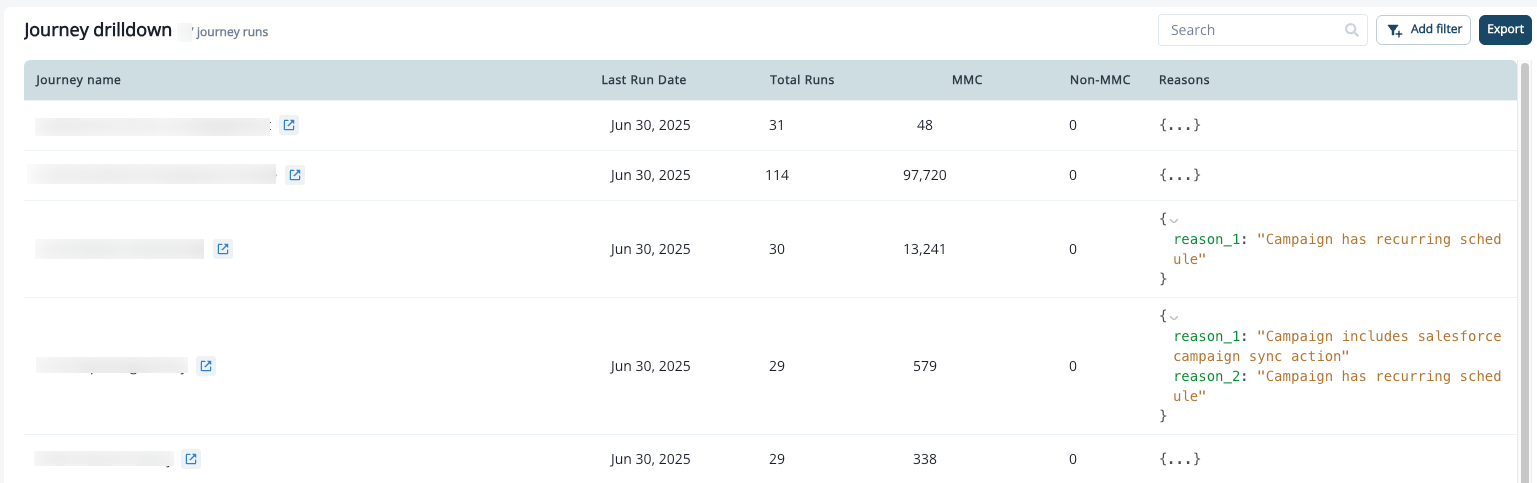
The Journey drilldown is designed to help you quickly identify MMC vs Non MMC counts and reasons for MMC qualification.
A detailed table shows:
* Journey Name
* Last Run Date
* Total Runs (sortable)
* MMC vs Non MMC Totals (sortable)
* Reasons (additional context on qualification)
You can **search, filter, or export** this drill down for deeper analysis.
 Trigger Journeys appear in the Journey Drilldown alongside scheduled journeys. For a Trigger Journey:
* Every enrolled contact counts as an MMC, so the **Non MMC** total is always 0.
* **Total Runs** is the number of times the journey was triggered during the month. A contact is still counted as one MMC (unique by email) even if they trigger the journey multiple times.
* The **Reasons** column identifies the journey as a Trigger Journey.
To confirm a specific contact was enrolled, open the journey's **Reports** tab and check the **Recipients** list.
You can also expand the reasons field to view the MMC qualifying reason for each journey, and export the journey drilldown data for offline deeper analysis.
Trigger Journeys appear in the Journey Drilldown alongside scheduled journeys. For a Trigger Journey:
* Every enrolled contact counts as an MMC, so the **Non MMC** total is always 0.
* **Total Runs** is the number of times the journey was triggered during the month. A contact is still counted as one MMC (unique by email) even if they trigger the journey multiple times.
* The **Reasons** column identifies the journey as a Trigger Journey.
To confirm a specific contact was enrolled, open the journey's **Reports** tab and check the **Recipients** list.
You can also expand the reasons field to view the MMC qualifying reason for each journey, and export the journey drilldown data for offline deeper analysis.
 ### Filtering Option
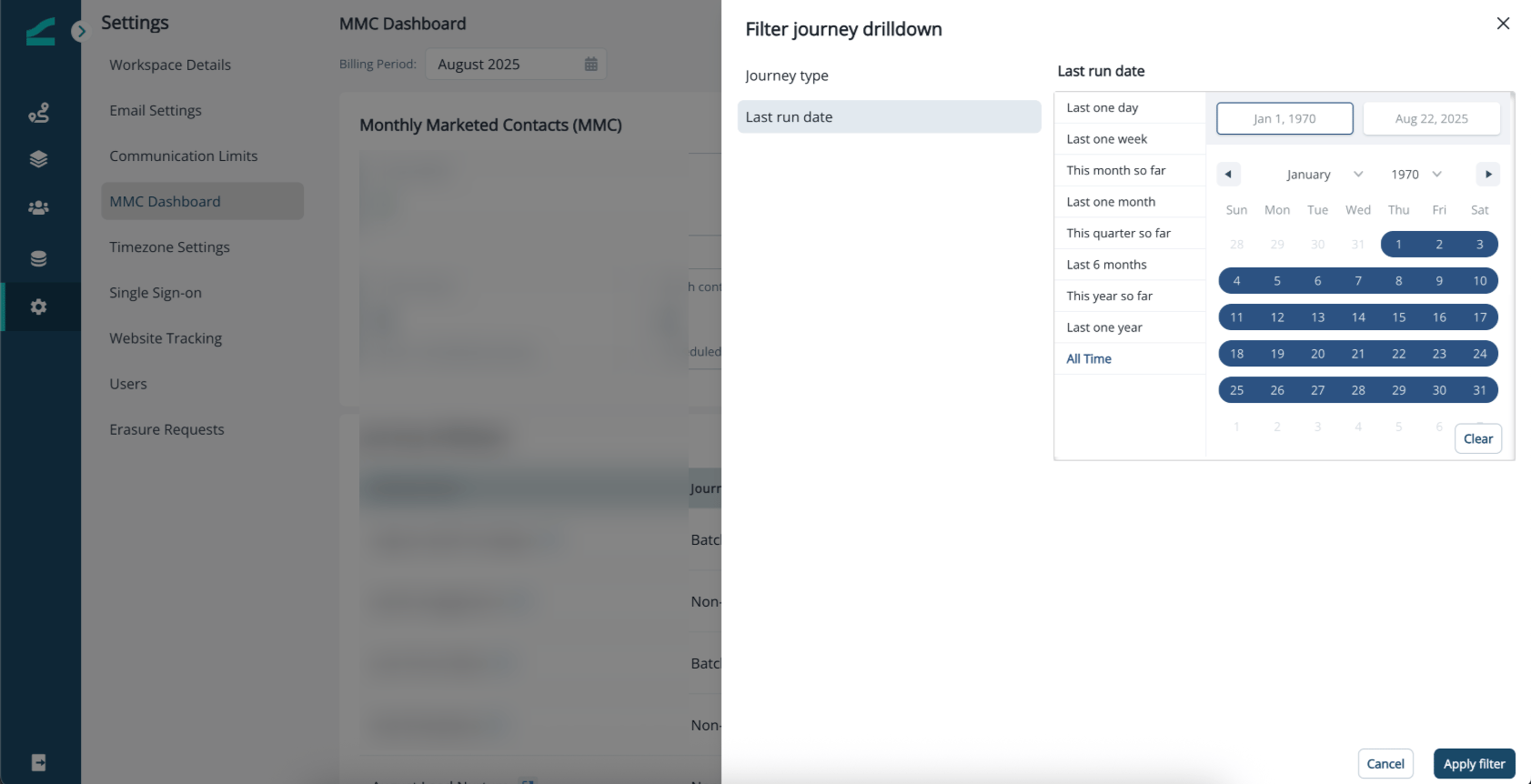
You can filter the journey drill-down by:
* **Last Run Date** – pick from quick options (last week, last month, last quarter, etc.) or set a custom date range using the calendar picker.
### Filtering Option
You can filter the journey drill-down by:
* **Last Run Date** – pick from quick options (last week, last month, last quarter, etc.) or set a custom date range using the calendar picker.