

Create a token
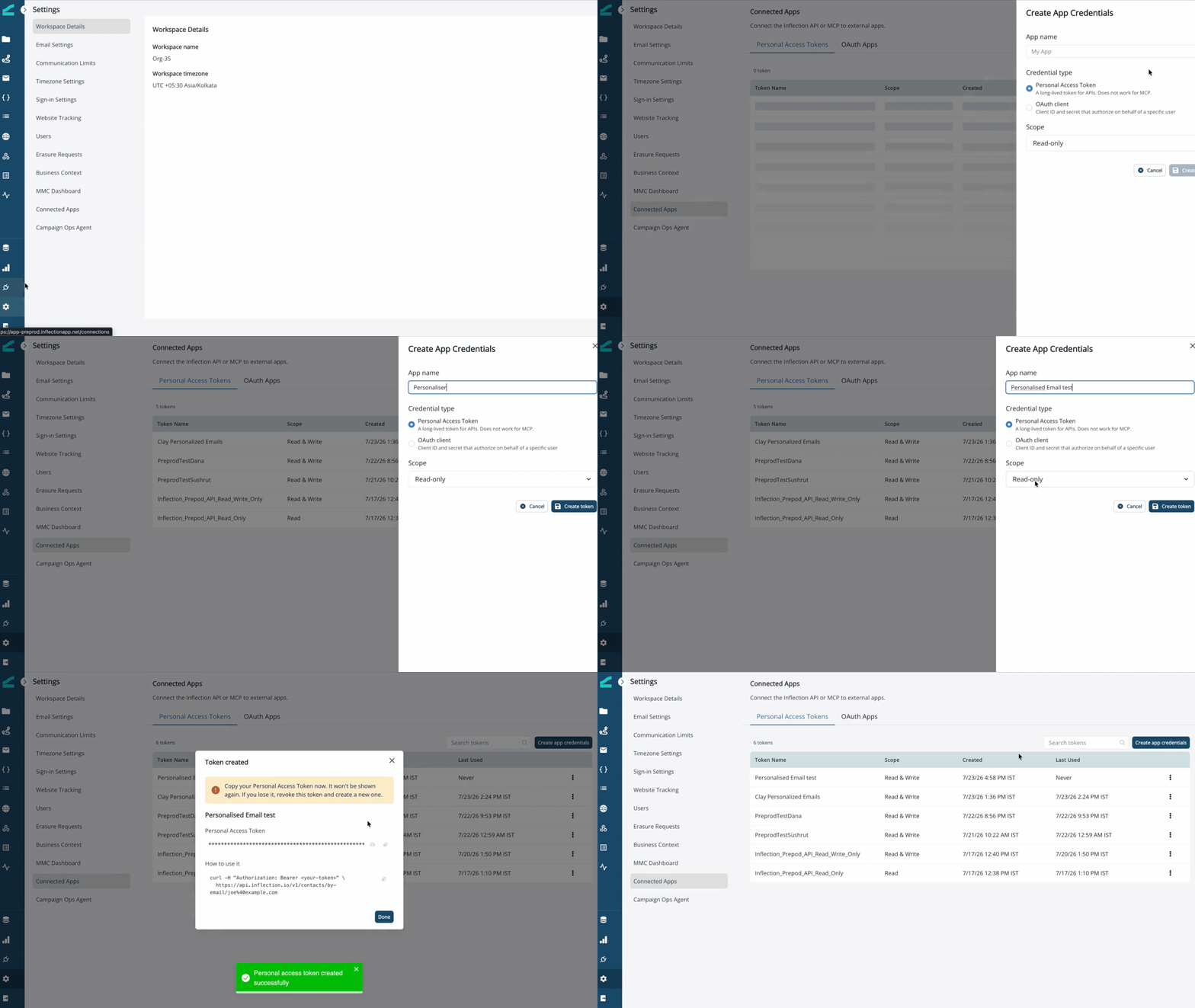
- In Inflection, go to Settings → Connected Apps.
- Open the Personal Access Tokens tab and click Create app credentials.
- Name the token and create it. Copy the token and store it securely. It won’t be shown again. If you lose it, revoke the token and create a new one.
Use it
Send the token on every request:GET calls, WRITE for POST/PATCH/DELETE. See Authentication for scopes and how auth failures are reported.
PATs are long-lived tokens for the API. They do not work for MCP. MCP clients authenticate through a connected app’s OAuth flow.