

Demo video
Watch the demo video on Loom The Data Dictionary tells you what’s in your data before you build with it. As you build a dynamic list, journey branch, or conversion event filter, the insights from data dictionary panel shows population stats, value distributions, and a searchable list of real values for the field you’re filtering on. Admins can add descriptions to any field so everyone on the team knows what each field represents.Summary
The Data Dictionary surfaces two capabilities:- Insights from data dictionary: a side panel that opens inside the filter row while you build a dynamic list, journey branch, or conversion event.
- It shows the field’s description, how many records have a value for it, and a field specific distribution.
- For text fields, it includes a searchable list of distinct values sorted by frequency that you can click to add to your filter.
- Field description: an inline description on each field row in Unified Mapping that admins can edit. Descriptions appear inside Insights from data dictionary while building filters.
Insights from Data Dictionary
While building a filter in a dynamic list, click the data dictionary icon next to the operator dropdown. The panel opens to the right of the filter row.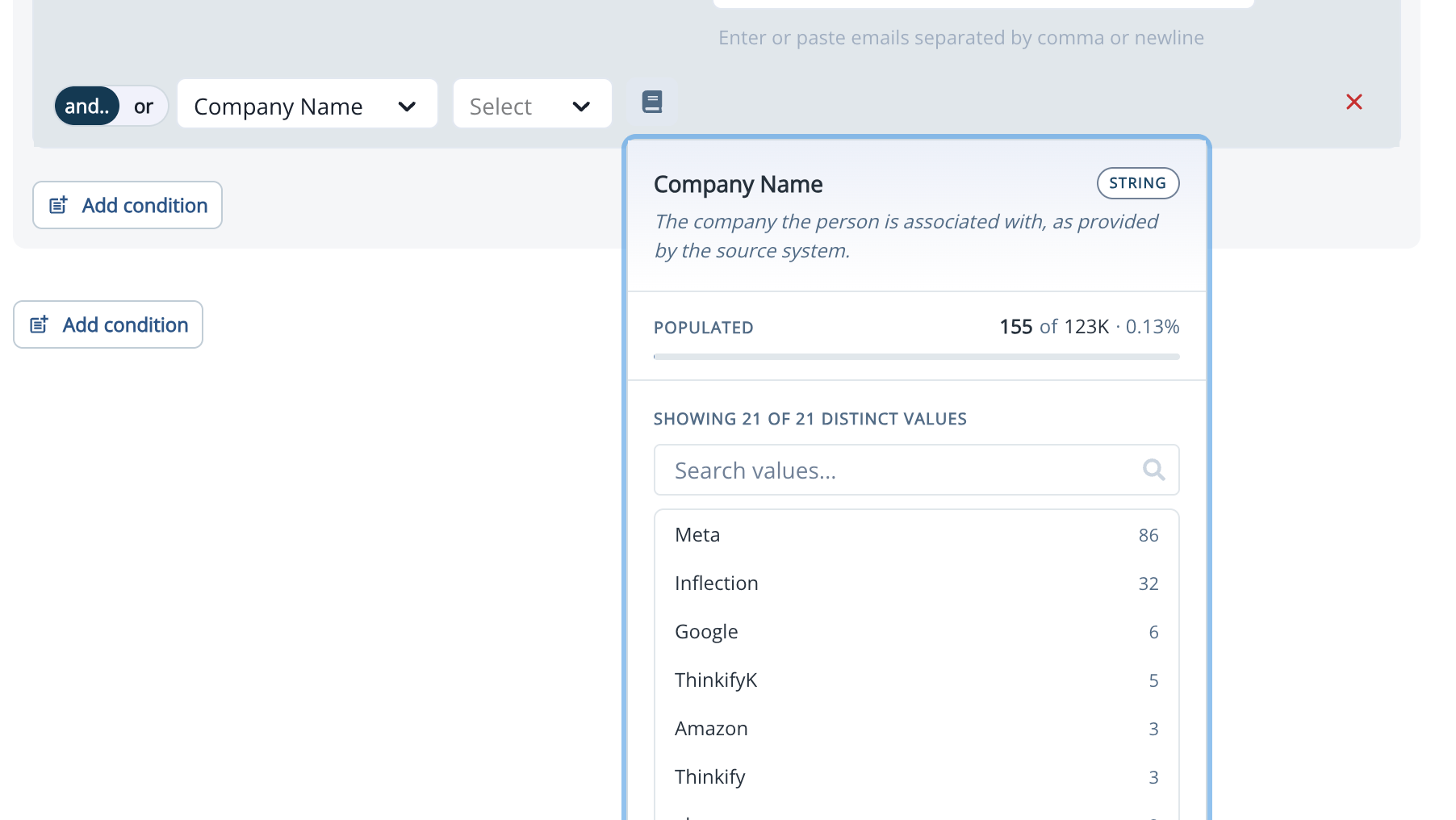
What the Panel Shows
The panel adapts to the field’s type: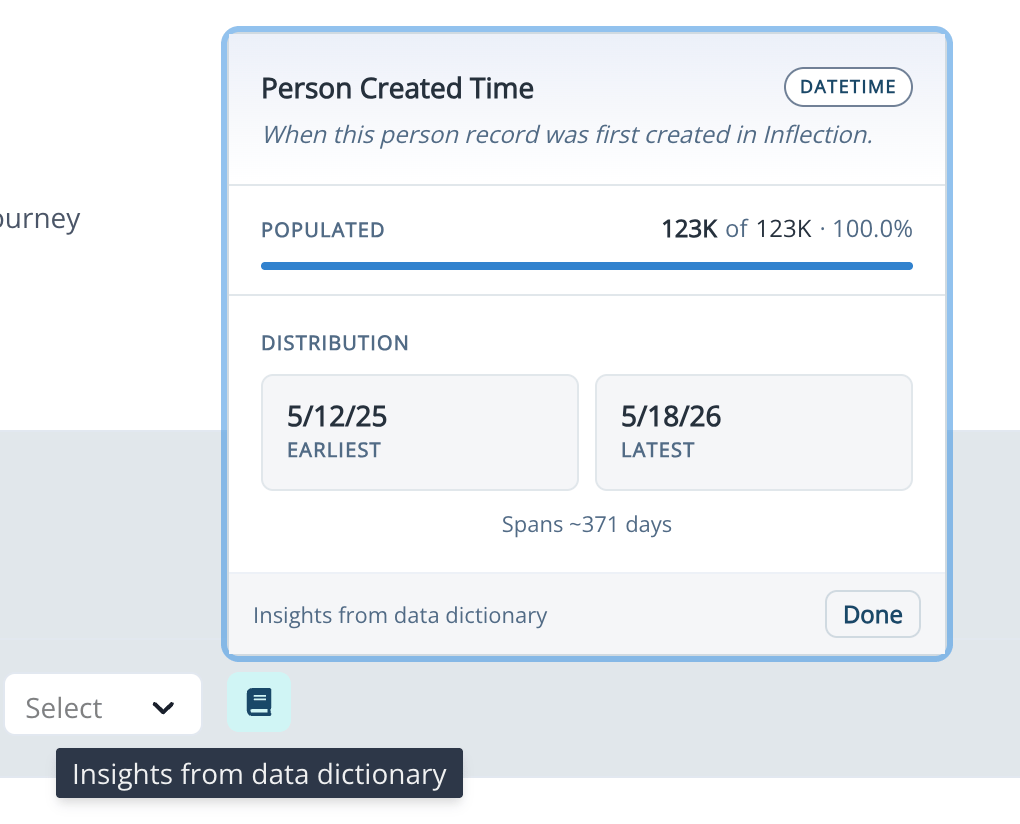
Inserting Values from the List
For text fields, click any value in the list to insert it into the filter. If the operator allows multiple values (for example, is any of), click as many values as you need to build up the filter. For contains, starts with, and ends with operators, you can still type values manually.Field Descriptions
Admins can add a plain-English description to any field on the contact, account, product user, or org entity. Descriptions help everyone on your team and Inflection’s AI agents understand what each field actually represents.Read a Description
Anyone can read descriptions:- Inside Insights from data dictionary while building a filter.
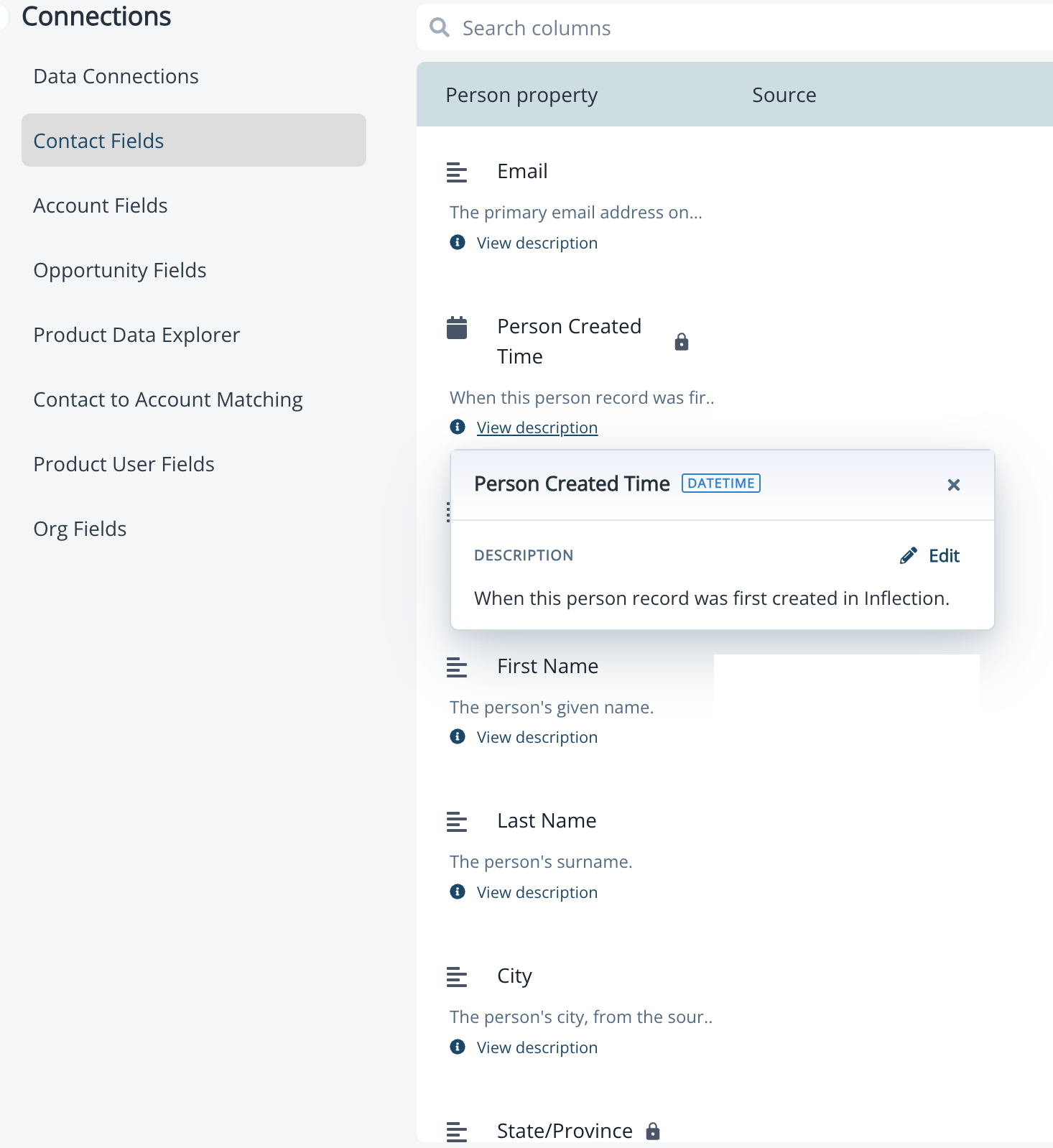
- On the field row in Unified Mapping: click View description to expand the description inline.
Add or Edit a Description
Only workspace admins can add or edit descriptions.- Click Database in the left navigation, then click Contact Fields or Account Fields.
- Find the field you want to describe.
- Click View description on the field row, then click Edit.
- Enter a plain-text description (up to 300 characters) and save.
Where Insights from Data Dictionary Appears
Insights from data dictionary is available everywhere you build field-based filters:What’s Excluded
A few internal system columns Inflection uses never appear in Insights from data dictionary or anywhere else in the product. These include_modified_time, _created_time, _source, _deleted_time, and _is_deleted.
Frequently Asked Questions
Why don't I see a description for a field?
Why don't I see a description for a field?
Descriptions are optional and admin-managed. If a field doesn’t have a description yet, ask your workspace admin to add one in Unified Mapping. Once saved, the description appears in Insights from data dictionary on the next open.
Which fields can have a description?
Which fields can have a description?
Admins can add descriptions to fields on the contact, account, product user, and org entities. Internal system columns (fields starting with an underscore) are excluded.
Why does the panel show stats that look slightly out of date?
Why does the panel show stats that look slightly out of date?
Insights data is cached for 2 hours in production. If you’ve just updated your data and want to see the latest stats, wait for the cache to expire or open the panel for a field that hasn’t been opened recently.
Is there a standalone Data Dictionary page I can browse?
Is there a standalone Data Dictionary page I can browse?
Not in this release. Insights from data dictionary is available inline while you build filters. A standalone page that lets you audit your data across all entities is on the roadmap for a future release.
Can I see what fields are mapped and what's changed over time?
Can I see what fields are mapped and what's changed over time?
Not in this release. A self-serve audit of mappings — including which integration writes to each field and when fields were first or last seen — is on the roadmap for a future release.
Are descriptions readable by Inflection's AI agents?
Are descriptions readable by Inflection's AI agents?
Yes. Descriptions are made available to Inflection’s agents so they can reason about your fields accurately. The more carefully your fields are described, the better the agents can ground their work in your data model.